Back to features
03 / Features

Secure delivery

Preview upload, editor export and final delivery stay separate, controlled and protected.

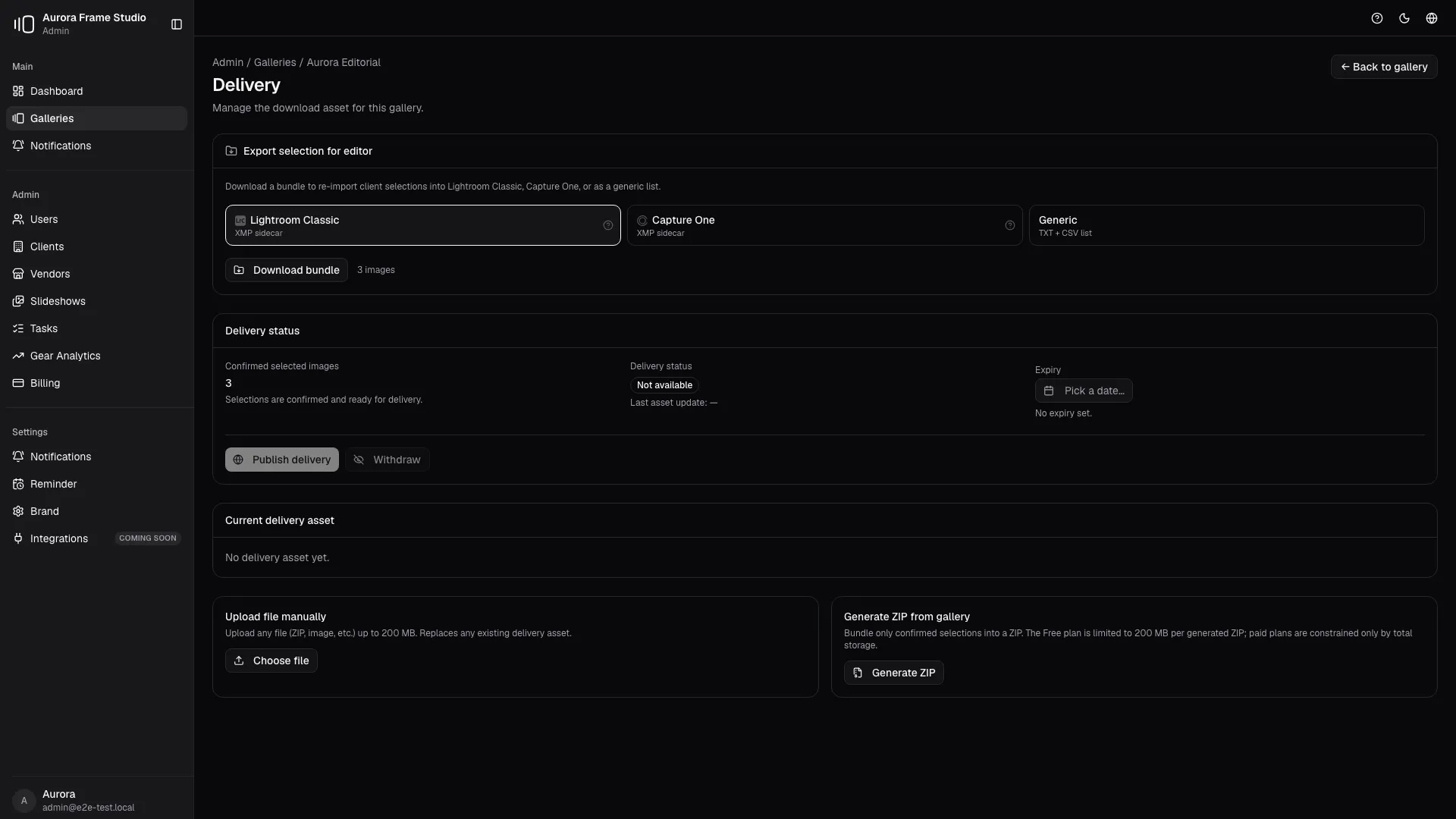
PhotoProofing separates proofing previews from final assets. Once selections are confirmed, you can export a ready bundle for Lightroom Classic or Capture One, then publish final delivery with controlled availability.

PhotoProofing upload and delivery
The operating story

PhotoProofing separates proofing previews from final assets. Once selections are confirmed, you can export a ready bundle for Lightroom Classic or Capture One, then publish final delivery with controlled availability. It is not an isolated feature: it becomes part of the studio's daily flow and connects identity, decisions and delivery in one coherent motion.

In the product this becomes preview upload pipeline, export bundles for lightroom and capture one, final delivery lifecycle with clear availability states. Every element reduces friction while the client moves forward without needing extra explanation.

Inside the user manual

Built from the upload and delivery manual workflow, including task tracking and final asset publication.

Open the manual chapter
Before 01

Upload previews

During 02

Confirm selections and export to editor

After 03

Publish final delivery

The operating problem

When preview files and final delivery share the same pipeline, studios publish too early, overwrite assets or confuse clients about what is approved and downloadable.

Who this is for

Built for studios that need a clean handoff between proofing, editing, export and protected client delivery.

Why this is more than cosmetic

Storage limits do not solve delivery risk. The important part is separating the operational phases so the studio can approve before publishing.

17
Active galleries
?
Compact KPI with tooltip
Upload in progress
4 slots
DSC_1042.webp 88%
DSC_1043.webp 54%
DSC_1044.webp 12%
New client feedback
Pin comment
2 min ago
Status changed
3 min ago
Selection confirmed
4 min ago
Frequently asked questions

Why separate proofing uploads from final delivery?

Because the preview phase is about decisions, while delivery is about approved assets. Keeping them separate protects client expectations and reduces publishing mistakes.

Does PhotoProofing fit Lightroom and Capture One workflows?

Yes. The workflow is built around confirmed selections, editor export and final client delivery instead of forcing the studio to improvise handoff steps.

PhotoProofing

Preview upload, editor export and final delivery stay separate, controlled and protected.

Start free