Back to features
02 / Features

Advanced review

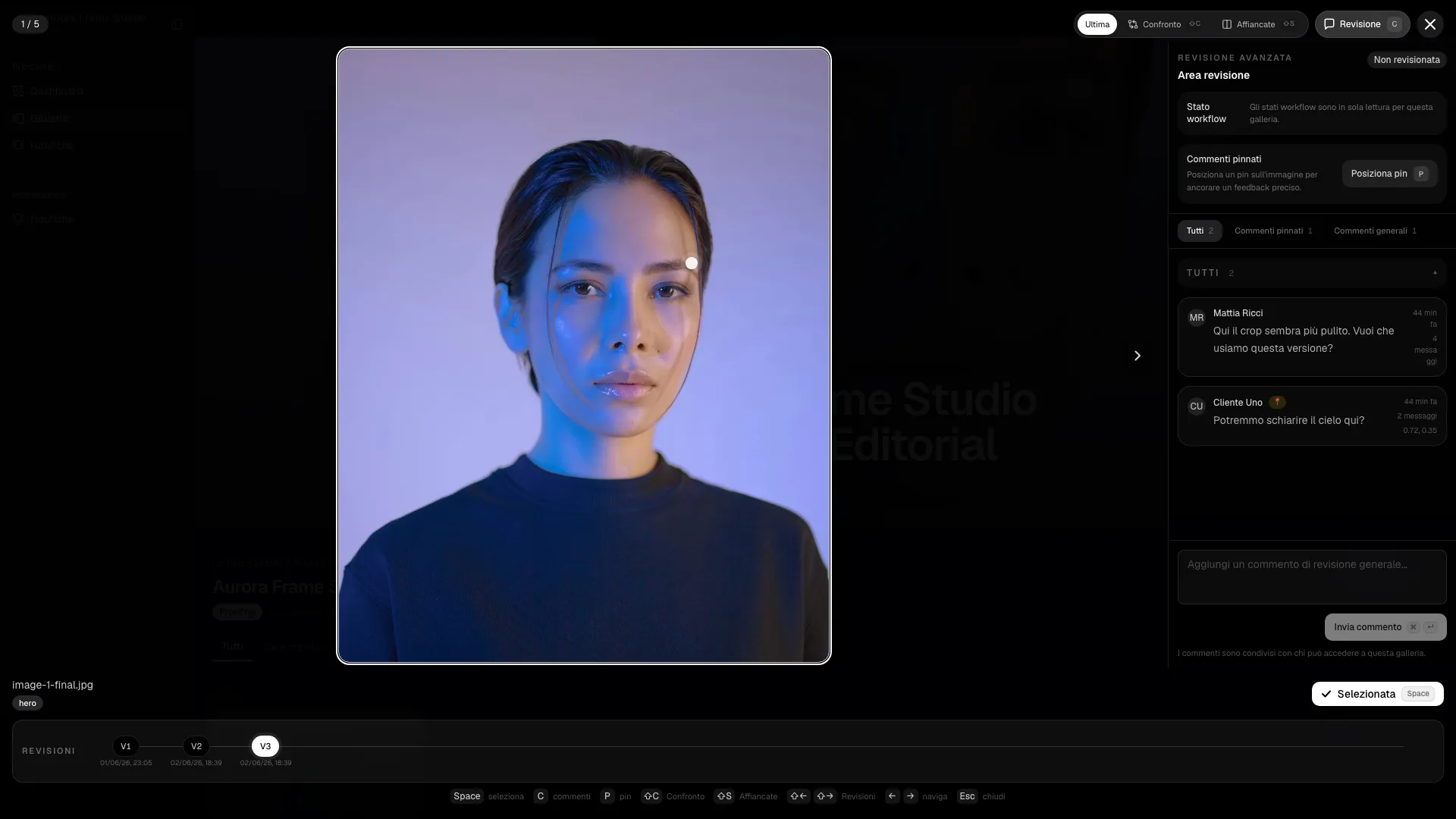
Pinned comments, workflow states, revisions and comparisons remove ambiguity from retouching rounds.

Clients can leave general notes or pin feedback to an exact point. Teams can track each image through not reviewed, needs edit, in progress, waiting approval and ready.

PhotoProofing advanced review
The operating story

Clients can leave general notes or pin feedback to an exact point. Teams can track each image through not reviewed, needs edit, in progress, waiting approval and ready. It is not an isolated feature: it becomes part of the studio's daily flow and connects identity, decisions and delivery in one coherent motion.

In the product this becomes pinned comments on the image, workflow state per photo, revision history with compare modes. Every element reduces friction while the client moves forward without needing extra explanation.

Inside the user manual

Grounded in the proofing and advanced review sections of the user manual.

Open the manual chapter
Before 01

Open image

During 02

Place a pin or comment

After 03

Move the image through review states

The operating problem

Retouching rounds break down when feedback lives in email threads, vague screenshots or voice notes. The team loses time just understanding what the client meant.

Who this is for

Useful for wedding, portrait and commercial studios that run multiple feedback loops and need accountable review states.

Why this is more than cosmetic

A comment system alone is not enough. Teams need pinned context, image status and revision history in one place or the client still asks the same question twice.

Autumn Editorial
42 selected / 96 total photos
Proofing
Lightbox
1
Image review
Elena

Retouch background near the left shoulder.

Ready Pin mode
New client feedback
Pin comment
2 min ago
Status changed
3 min ago
Selection confirmed
4 min ago
Frequently asked questions

How does advanced review reduce retouching waste?

It keeps the exact comment, the current workflow state and the revision context on the image itself, so editors do not have to reconstruct intent from external threads.

Is this only useful for large teams?

No. Solo photographers benefit too because the client sees a clearer process and the studio avoids missing edits, duplicate notes and unclear approval steps.

PhotoProofing

Pinned comments, workflow states, revisions and comparisons remove ambiguity from retouching rounds.

Start free